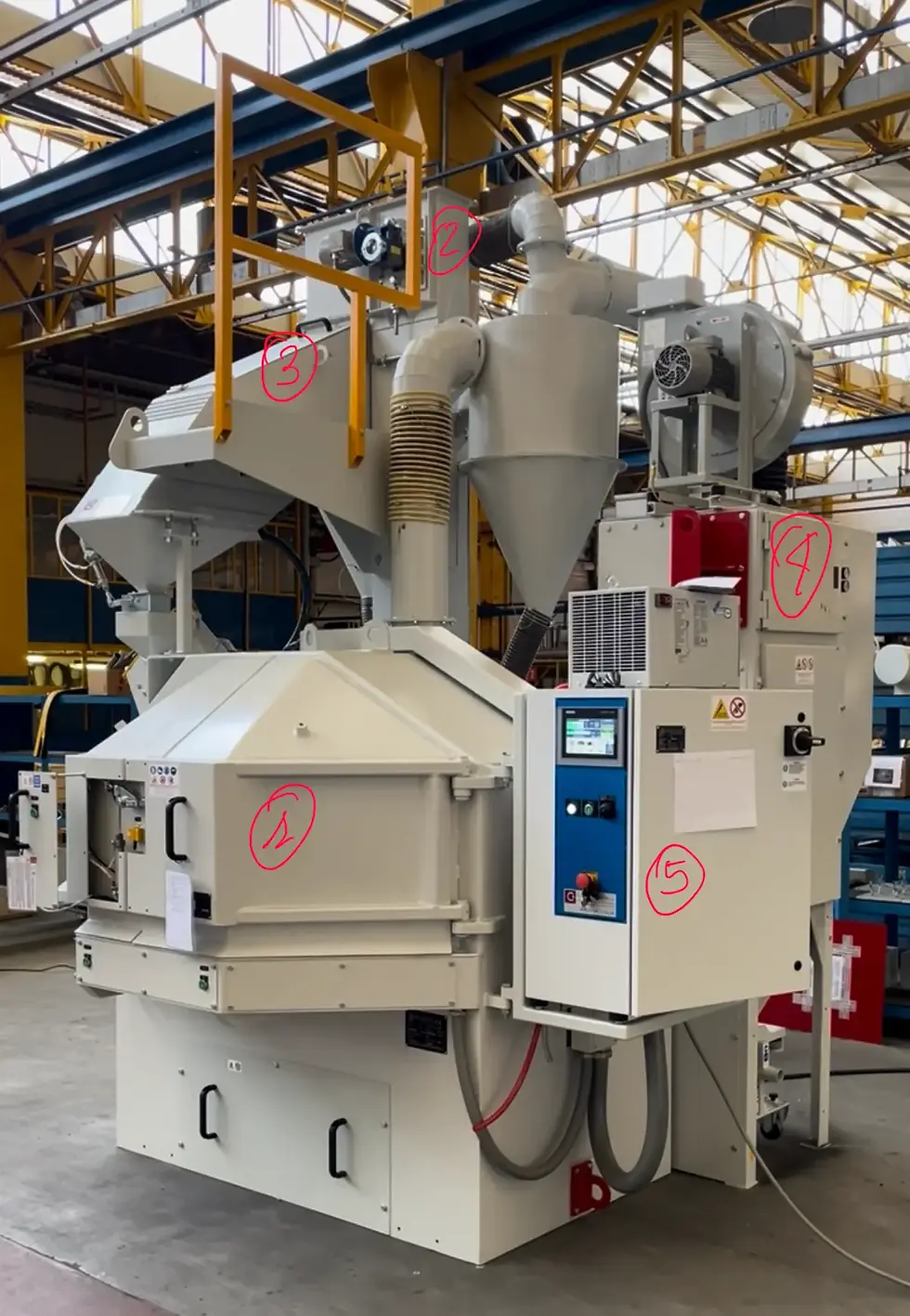
Wheel Blaster & Shot Peening Machine Troubleshooting.

Updated: Aug 28
Something on your shot blasting machine stopped working — wheel blaster or peener, below are the most common problems and where to start — and for the exact fix on your own machine, Vortex reads your manual and walks you through it, with a specialist one tap away.
1. Why is my blast wheel not working?
A blast wheel that won't start is usually one of three things: a mechanical obstruction blocking rotation, current not actually reaching the motor even though the panel is live, or an open safety circuit. Check them in that order, and the order matters. Rotation first, by hand, with the main panel off — turning the wheel with the panel live can disturb the signal going to the safety CPU. If it turns freely, check that the motor is correctly fed electrically. Last, the safety interlocks: often a cover, a door not properly closed, or something similar. Vortex guides you there, reading your own manual.
2. Why does my motor overload keep tripping — or why do I keep blowing fuses?
A tripping overload and a blowing fuse are the same fault: the motor is drawing more current than it should, and the protection is doing its job by cutting out before the winding burns. Resetting it once is fine. If it happens again, the cause has to be found, or every reset takes the motor a step closer to failure. The load is coming from somewhere — a mechanical drag, a jam, a bearing going, or a supply issue — and it is rarely the same on two machines. Vortex works from your manual to trace where the fault is on your specific motor and how to fix it.
3. Why is my blast wheel motor vibrating so badly?
A blast wheel vibrating badly is almost always a balance problem: an out-of-balance impeller, worn or unevenly worn blades, or a bearing going. At wheel speed a real imbalance destroys the wheel and the bearings in a short time, so this is not one to leave running. With Vortex you get what to inspect on exactly your machine, from its manual, and you can send a short video by email — included in the package — or in a 1-1 support chat, and be told what to do on your unit.
4. Why is another motor on the machine vibrating (elevator, screw conveyor, exhaust fan)?
Vibration on an auxiliary drive usually comes from coupling misalignment, worn bearings, loose mounts, or wear in the drive itself. Within certain limits some vibration is normal and not a fault, which is the first thing to establish before chasing it. Beyond that it needs to be inspected properly. With Vortex you can send a short video by email — included in the package — or in a 1-1 support chat, and get an answer on your specific drive.
5. Why is my abrasive recovery poor?
Poor abrasive recovery means the media is not getting back up for the next cycle: either something is clogging the route, or it is leaking out along the way, or the bucket elevator is not lifting what it should. Start by checking consumption — if it has not gone up, nothing is being lost and the problem is a blockage rather than a leak. Then inspect the recovery route visually: a leaking point usually shows you where the path is obstructed. Vortex guides you through a diagnostic that lets you check the media route and, if needed, drill down into the elevator and its specific issues, or other issues connected with media recovery.
6. Why is my bucket elevator belt slipping?
A slipping elevator belt is usually tension or wear: it stretches with age and needs re-tensioning, and if it slips again shortly after, it has reached the end of its life. What sits behind it — bearings, shaft alignment — is where it gets less obvious. The full walkthrough is here, and Vortex tells you where to start the inspection on your own machine.
7. Why is my blaster dropping shot / puking?
A blaster dropping shot has abrasive coming out where it should be going back up: the recovery loop is broken, and the media is falling instead of being lifted for the next cycle. Check the recovery route, and check that nothing is clogging the feed to the wheel — a blockage upstream produces the same symptom as a break downstream. Vortex gives you a diagnostic sequence to find out where the issue is and how to fix it.
8. Why is my machine cleaning poorly?
If the machine cleans poorly with no alarm showing, add 50% to the cleaning cycle — or drop the pass-through speed by 50% — and see whether the parts come back. If they do, you are still getting the result and it is the efficiency that has gone: something in the machine is no longer delivering what it used to, and with no alarm showing it is not going to be obvious which. Vortex guides you through a checklist built on your own machine to track down the values out of spec, and if you can't find it, it connects you with the specialist.
9. Why is my abrasive consumption so high?
First check that there are no leaks along the abrasive circuit, and that the separator and the filter are working properly. If all of that looks in order, the reference figures are around 1 kg per hour per blast wheel with steel shot, and around 3 kg per hour with steel or cast iron grit. Outside those values, with no obvious cause, check that the media itself meets specification. Vortex helps you figure out what's wrong, and puts you in touch with the specialist for a complete understanding of the process.
10. Why is abrasive leaking from my machine?
Abrasive leaking out is almost always a sealing problem: gaskets that have hardened or been damaged, parts worn thin where the media runs against them, or panels and doors no longer aligned so they no longer close on the seal. It can also come from a blockage somewhere in the circuit: media builds up behind it, finds pressure where there should be none, and pushes out at the nearest weak point. Follow the leak back to where the media actually escapes rather than where it lands on the floor — the two are rarely the same point. Vortex explains where exactly to look and gives you the solution on your own machine.
11. Why are my liners or control cage wearing unevenly?
A control cage wearing unevenly points to dust circulating in the abrasive, which means the air wash separator or the dust collector are not doing their job. Liners and protections wearing unevenly point to something else: the throw being off, with the stream landing where it should not, and worn blades as the usual reason. Two different faults sit behind that one question. Vortex tells you what to look at on your own machine, lets you check the worn parts with the specialist, and tells you what you need to replace.
12. I changed the blast wheel motor and the rotation is wrong — how do I fix it?
First check that only that motor is turning the wrong way. If the others are running correctly, swap any two of the three phases on that motor's feeding board. If everything on the machine is turning the wrong way, the phases have been inverted upstream and it is the main supply that has to be corrected, not the single motor. Work with the panel isolated, and check the direction against the arrow on the housing before running under load.
13. Why is my blast wheel or bearing noisy?
Noise from a blast wheel usually comes from one of two places: the transmission, if the wheel is belt-driven, or the bearing itself, with abrasive that has worked its way past the seals and is running inside it. Check the bearing seals first — that is the one that gets worse fast if left. Vortex helps you work out from your own manual whether this is really the problem.
14. Why is my blast pattern off — the media is hitting the cabinet, not the parts?
A wrong blast pattern is connected to wear of the regulator, the control cage and the pads. You recognise it because the cabinet liners are clearly being hit where they should not be. Side effect: media hitting the cabinet instead of the part means the cleaning cycle gets longer, because part of the throw is doing no work. A pattern test helps you understand the correction required, or whether parts need replacing. Vortex can guide you through it, starting from your own manual.
15. Why does my blaster throw errors when I restart it after it's been shut down?
Errors that only appear on restart usually point to something the machine tolerated while running and cannot pass on start-up: an interlock no longer closing properly, a sensor reading out of range on a cold machine, something worn or misaligned that the start sequence checks and the running cycle does not. The error code itself tells you which. Copy the errors into Vortex to find out what yours means, and once the root cause is clear, it is a good idea to contact the specialist.
16. Why is my pass-through output inconsistent?
On a pass-through the parts make a single pass and leave. If the wheels are not throwing alike, there is nothing to average it out and the parts come off the machine uneven.
Read the amps of each wheel. If one or more read lower than the others, those are the ones not doing their share — and those are the ones to check.
If you find that, the amp difference is what you need to work on: why wheels on the same machine pull different amps, checking the open cabinet part.
Vortex can guide you through the whole process on your own machine.
17. Why is my dust extraction poor?
Poor dust extraction comes from one of two places: the air wash separator, either badly set or not working as it should, or the dust collector not pulling enough suction through it. The two are connected — a separator can be set perfectly and still do nothing if there is no airflow behind it, so check the suction before touching the settings. You can start here. Vortex will guide you to the fix all the way through.
18. Why is my media mix too dusty / degraded?
A mix that stays dusty after a few working hours — with the parts coming out dusty too — means the fines are not being taken out: either the air wash separator valve is not opened enough, or the dust collector is not pulling enough suction through it. Before chasing it, note that new media carries a percentage of dust of its own, so if you have just topped up, give it a few hours and look again. Get the general concept here.
19. Why do wheels on the same machine pull different amps?
Different amps means the wheel motors have different loads, and it's worth finding out why. By different, I mean a gap over 1 to 1.5 A on the ammeter — below that it's usually the media gate needing fine tuning, or a bit of abrasive media missing inside the equipment, or both. Act accordingly. What follows applies to gaps above that range.
The result on the part stops being uniform. How much it hurts depends on the machine. On a closed cabinet the parts stay under the streams and cycle through, so it averages out and shows up less. On an open cabinet the parts make a single pass — everything that has to happen, happens in that pass. Nothing compensates, and it lands straight on the part. So the check is more urgent on an open cabinet and can wait on a closed one. It becomes mandatory as soon as possible in shot peening, because the result is barely visible, or not visible at all.
Check the electrical supply, it must be consistent in time. Many skip this passage, you can't even imagine how many times people wasted time looking in the wrong direction while the equipment was ok and the issue outside of it.
Now the troubleshooting path changes accordingly with machine layout to make the easier first and the most complicated later.
Open cabinet — go straight to the wheels. Bring a flashlight. Compare them against each other: blades, impeller, control cage. If one is worn differently from the others, stop there — you have your starting cause. If the wear is even across all of them, the wheels are not the problem. Go to the separator and read below, the other layout begins with it.
Closed cabinet - pick up a ladder and go straight to the separator, put the machine working before climbing. Reaching the wheels is a job. Skip it.
Check the separator while the machine is blasting. Stopped, it tells you almost nothing. With media flowing, look at every outlet and check each one is properly fed. If one outlet is building up media differently from the others, follow its feed — that's usually the one matching your odd reading. The outlet at the far end of the separator is the one that gives trouble most often.
Then look at how the separator is fed. There's often a screw conveyor above it. A worn screw pushes fine at the start of its run and runs out of push by the end, so the last outlets get starved.
Add some media and watch. If the readings even out, that was it. If nothing changes, the feed to that outlet is blocked or restricted, or the screw above is worn.
Where you go next depends on which check you did first. Open cabinet: wheels, feed and separator are all clear, so what's left is the elevator not lifting enough media. Closed cabinet: you've done the separator but never seen the wheels, so now you have to — open the cabinet, or reach them through the feed spout, which is often the more practical way in.
If it isn't media, it's the drive. Belt drive: visual inspection — slipping, old or worn belts. Inverter drive: open the panel and check the frequency feeding each wheel; if they don't match, the amps won't either.
Vortex guides you through the checks on your own machine, reading its manual, with a specialist one tap away.
20. Why do my wheel amps keep changing?
If the reading fluctuates more than 1 to 1.5 A, it can be two different things, and the timing tells you which.
Fluctuating over seconds or minutes — it's probably media not reaching the wheel steadily, or something connected to it. Same checks as why do wheels on the same machine pull different amps, but applied to the one wheel.
Fluctuating over hours or days, with nothing changed on the machine — that's when it's worth looking at the electric supply line.
This one is a nasty fault. The problem shows on the blast machine, so that's where everyone looks — while the reason can be sitting outside it entirely.
In general the wheels are balanced against each other: they all drop together by roughly the same amount. Having more than one wheel can help you spot it, but it doesn't settle it. It depends on how the electrical scheme is built: the drop in supply may spread evenly across all the wheels, or it may land on the last one in the series alone. So don't read the pattern as proof either way — a single wheel reading low doesn't rule out a supply problem, and all of them dropping together doesn't confirm one.
Note what's running when the readings are normal and what's running when they drop. An induction furnace for heat treatment is the classic one — it can be in the next room and still be on your line, and what it draws while running is enough to put the blast machine in trouble.
If the amp limits are set correctly, the machine tells you: the alarm comes in. If the readings move that much and nothing comes up, the limits are set too wide — and you have two problems, the supply and a machine that isn't warning you about it.
This matters most in shot peening. In plain blast cleaning you have a check: if the parts don't come out clean, you see it. A whole range of things show up by eye. In peening they don't. Nothing on the part tells you the energy was short. Which is exactly why you have to be sure you're firing for the time needed, at the energy needed, to reach the intensity you specified.
Vortex guides you through the checks on your own machine, reading its manual, with a specialist one tap away.
Can't find your shot blasting machine issue here? Vortex reads your machine's manual and gets you to the fix — with a specialist one tap away.